Practice administration is the non-clinical work that keeps a UK therapy or counselling practice running: the diary, invoices and payment records, client agreements, and the policies or templates the team uses. Getting those basics right reduces missed appointments, unpaid sessions and messy paperwork — and it does not require a clinical protocol.
This guide covers how to run practice administration in a UK private therapy or counselling practice: how to keep the diary, how to invoice clients and record payments, what a short client agreement should cover, and where policies and templates should live. Practice software can keep this work in one place, but the operating habits come first. This is practical guidance for therapists, counsellors and practice managers, not legal, tax or clinical advice.
What counts as practice administration in a UK therapy practice?
Practice administration is the diary, the money, the agreements and the shared documents — not the therapy itself.
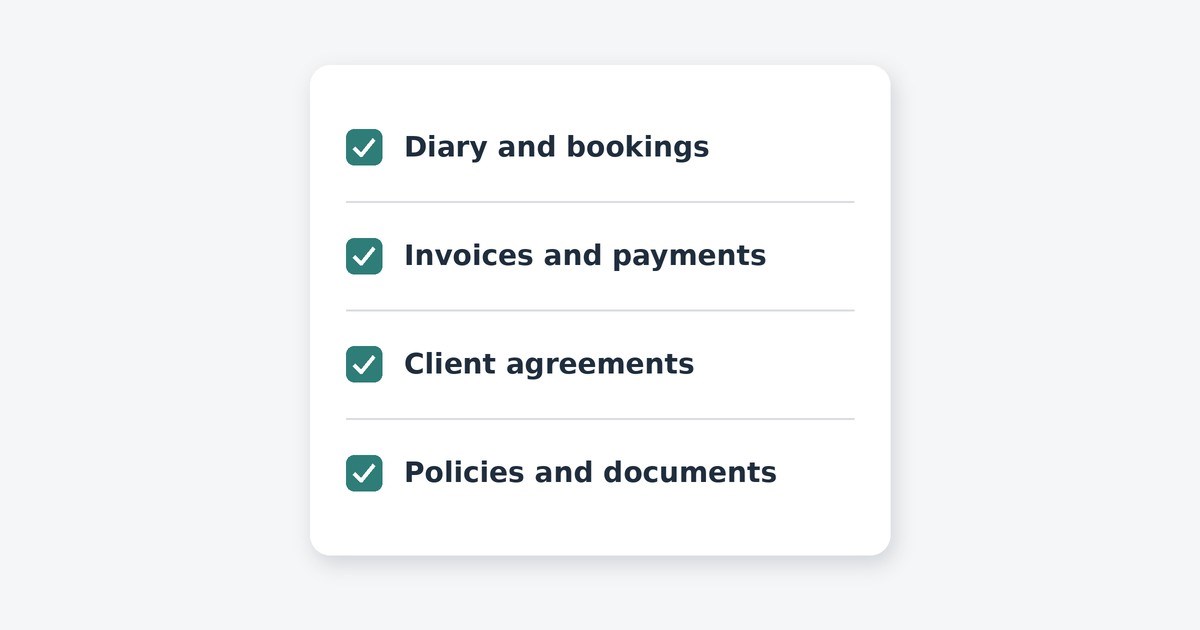
In a typical UK private practice, that usually means four jobs:
- Bookings and reminders, so sessions are confirmed and fewer appointments are missed.
- Invoices and a record of what has been paid, so you can see what is outstanding.
- A written client agreement, so fees and cancellation terms are clear before work starts.
- A place for policies and templates, so the team is not searching email threads or personal drives.
Those four sit alongside clinical work, and should be kept distinct from it. This article will not cover clinical records in depth, safeguarding, waiting lists or outcome measures. Those matters are important, but they are a different job from running the practice day to day.
UK therapists and counsellors in Private Practices, and practice managers in small counselling services, will recognise this as the everyday work that keeps the business running without getting in the way of the work with clients.
How should you run the diary and bookings?
Keep one shared diary, set session lengths and notice periods in writing, and send a confirmation plus a reminder.
A sole practitioner can start with a paper diary or a personal calendar. As soon as someone else might book a session, cover a cancellation, or need to see what the week looks like, there should be one source of truth. Put agreed session lengths, working hours and cancellation notice in writing — in the client agreement, not only in a passing email — so everyone is working from the same rules.
Send a confirmation when an appointment is booked, and a reminder before the session. A reminder will not remove every missed appointment, but it does help clients remember the time and the notice period, and it reduces the number of sessions that are simply forgotten. Keep the process light and consistent: one calendar, clear session times, a short way to record a cancellation, and a habit of checking the diary at the start and end of the day.
The aim is a reliable bookings habit, not a more complicated system. The rules you have written down matter more than the particular calendar you use.
How should you invoice clients and keep track of payments?
Issue a clear invoice, record when it was paid, and keep those records for tax and for your own cashflow. Official rules on what an invoice must include, and on keeping records, sit on GOV.UK — link them, rather than treating this article as a substitute for the official guidance.
GOV.UK’s Invoicing and taking payment from customers is general UK business guidance, not therapy-specific law, and it is not legal or tax advice. It explains that an invoice is not the same as a receipt, and that an invoice must include certain information, such as how much the customer needs to pay and when payment is due. If both you and the client are registered for VAT, you may also need to give them a VAT invoice for a business-to-business supply. Check the official page for the full rules, including what a VAT invoice must include, rather than relying on this summary. Many therapists are not VAT-registered; this article does not tell you whether you should be.
Separately, GOV.UK’s Keeping your pay and tax records explains that if you send a Self Assessment tax return, or you are self-employed, you need to keep records of business income and outgoings. There is no single required format: records can be kept on paper, digitally, or in software. How long you must keep them depends on your situation. This article does not give a retention period; the official page is the place to check.
A payment record is useful even before tax. You should be able to see which sessions have been invoiced, which have been paid, and which are still outstanding. That is a cashflow tool as much as a compliance one.
If you use practice software, check what it actually does with money. Rhadar’s Payments Reconciliation records and reconciles client payments against sessions and services. The live FAQ on that page is explicit: “No, Rhadar records and reconciles payments; invoicing and card processing is handled by your chosen provider.” In other words, the practice still issues invoices and takes card payments through its own provider. The software is there to record what has been paid, show unreconciled or overdue accounts, and send an email reminder about outstanding invoices. Fees can be tied to the agreed client fees and to individual session fees. Do not treat Rhadar as a payment provider, a card processor, or the issuer of the practice’s tax invoices.
What should a client agreement or contract cover?
A short written agreement that sets fees, cancellation terms, session length and how to get in touch — agreed before work starts. This is not legal advice. A practice should use wording that fits its own terms and, where relevant, its professional body.
Keep the agreement practical and specific to how you work. Fees, when they are due, what happens if a session is cancelled or missed, how long a session lasts, and how the client can contact you are the points most practices need to have in writing. Do not rely on a conversation or a website page alone if those terms later need to be checked. This article does not prescribe notice periods, deposit rules or a model clause; those choices belong to the practice, and wording should be reviewed if you are unsure.
Once the wording is agreed, it helps if the agreement can be sent, signed and stored in one place, rather than printed, scanned and filed by hand. Rhadar’s Three Customisable Client Contracts provides three customisable templates that can be tailored to different services, with the practice’s own terms and conditions. Those contracts can be sent, signed and stored electronically, and signed contracts are stored against the client. Using templates is a convenience, not a legal requirement, and the wording remains the practice’s responsibility.
Where should policies and admin documents live?
In one shared place the whole team can use, rather than in personal drives or email threads.
Even a sole practitioner benefits from a single, current store for the agreement template, cancellation policy, privacy notice and any standard forms. In a small service, that shared place matters more: a new associate should not be working from an outdated attachment, and the practice should be able to find the latest version without searching several inboxes. Keep the set small and current. A short list of the documents you actually use is more helpful than a crowded folder no one opens.
Rhadar’s Administration tools include a company-wide document store, so you can share policies, procedures and handbooks with the whole team in one place. That is a shared library for practice documents. This article does not claim any version-control or retention feature beyond what that page describes.
Client contact details and signed agreements are personal data. The Information Commissioner’s Office publishes UK GDPR guidance and resources for organisations. That is a pointer, not a how-to, and not a claim that Rhadar is “ICO registered” or “GDPR certified”.
What should you look for in practice administration software?
One place for the diary, a payment record that can be reconciled, written agreements, and shared templates — without needing a separate tool for each job.
A useful checklist, regardless of supplier, is:
- A diary the whole practice can see, with confirmations and reminders.
- A payment record that can be matched to sessions and that shows what is outstanding.
- Written agreements that can be customised, sent and stored.
- A shared place for policies and templates.
- A clear limit on what the software does with money. If it records and reconciles payments, but does not process cards or issue tax invoices, you still need your own invoicing and payment provider.
Rhadar’s tools for everyday administration and service management bring together services, locations, notifications, payments, contracts and shared company documents. Client payments can be recorded against sessions and services, with reporting to support reconciliation. Three client contract templates can be customised, sent, signed and stored electronically. Policies, procedures and handbooks can be shared with the team. That is administration support, not a substitute for the practice’s own terms, invoicing arrangements or professional obligations. There is no “best” product for every practice, and this guide does not compare suppliers or quote prices.
Frequently asked questions
What admin should a sole practitioner handle from day one?
A diary, a simple invoice and payment record, a written client agreement, and a way to store those documents. That is enough to confirm sessions, see what has been paid, and be clear with clients about fees and cancellation terms. The same basics apply in Private Practices whether you work alone or with a small team. GOV.UK’s guidance on Keeping your pay and tax records is the official starting point for what business records to keep; it is not tax advice.
Does practice software take card payments for me?
Not necessarily. You should check what the software actually does, rather than assuming it will take payment for you. For Rhadar, the live FAQ on Payments Reconciliation is clear: it records and reconciles payments; invoicing and card processing are handled by the practice’s chosen provider. The practice still needs its own way to invoice clients and to take payment.
Do I need a written contract if I only see a few clients?
A short written agreement is still useful, so fees and cancellation terms are clear before work starts, even if you only see a few clients. It does not need to be long, and using software is not a legal requirement. If you do use templates, Rhadar’s Three Customisable Client Contracts can be tailored, sent, signed and stored electronically. The wording remains your responsibility, and this is not legal advice.
How long should I keep invoices and payment records?
It depends on the practice’s situation, for example if you send a Self Assessment tax return or you are self-employed. This article does not give a number of years. Check GOV.UK’s Keeping your pay and tax records for the official guidance that applies to you. That is a pointer, not tax advice.
Can a small counselling service use the same admin approach as a solo practice?
Yes, in principle. One diary, one view of what is unpaid, consistent agreements, and shared documents are the same four jobs. They become more important as soon as more than one person is involved, because otherwise each therapist can end up with a different calendar, a different agreement or a different picture of what has been paid. Rhadar’s Counselling Services page is the Who We Help page for counselling services considering that kind of shared approach.
Is this the same as clinical record-keeping?
No. This article is about business admin: the diary, money, agreements and policies. Clinical notes, outcome measures and safeguarding records are a different job and are out of scope here.
Ready to see Rhadar in your organisation?
If you would like to see how practice administration works in Rhadar, you can request a demo. You can also contact the UK team if you would rather ask a question first.