
Automated Therapist Timesheets
Enable Therapist Timesheets, set either a set rate or & rate per session for each Therapist, and let the Therpist auto generate their timesheets each wekk. They are submitted for approval for Admins who can then also mark them as paid
Key benefits
-
Enable Timesheets across the whole organisation Simply enable Therapist Timesheets from the settings and Rhadar is now ready to handle automated Therapist Timesheets
-
Individual Therapist rates For each Therapist, set their per-session rate, either a flat rate or a % of Session value rate
-
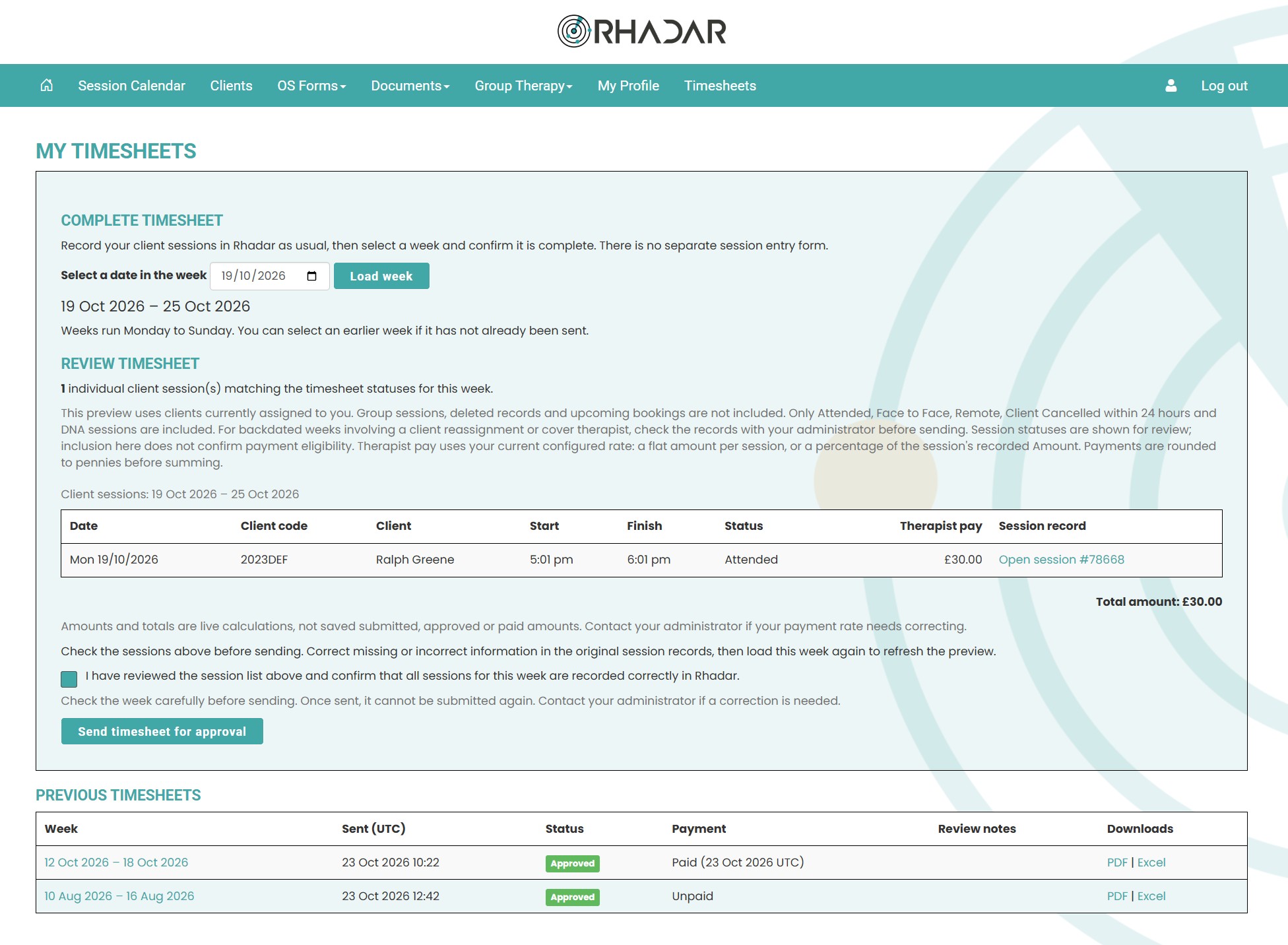
Automatic Therapist Timesheet generation Therapists auto generate their own timesheets on a weekly basis and submit for approval. The Timesheets generate based on their rate and their sessions that they have logged
-
Therapist Timesheet Approval All timesheets are submitted by the Therapists and are held in the Admin login pages. Admins then review the Timesheets and either Deny or Approve them
-
Notification of Therapist Timesheet Payment Admins also have the ability, once approved, to mark the Timesheets as paid
-
Therapist Timesheet Exporting Once approved, Admins and the Therapist can export Timesheets to excel or PDF
How it works
Individual Therapist rates
Whether a flat per-session rate, or a % of the session fee, each Therapist has their own rate that the Admins will populate. This allows for varying levels of Therpiast qualification/experience and fee

Therapist submitted Timesheets
The Therapist will select the week, review and send the timesheet for approval
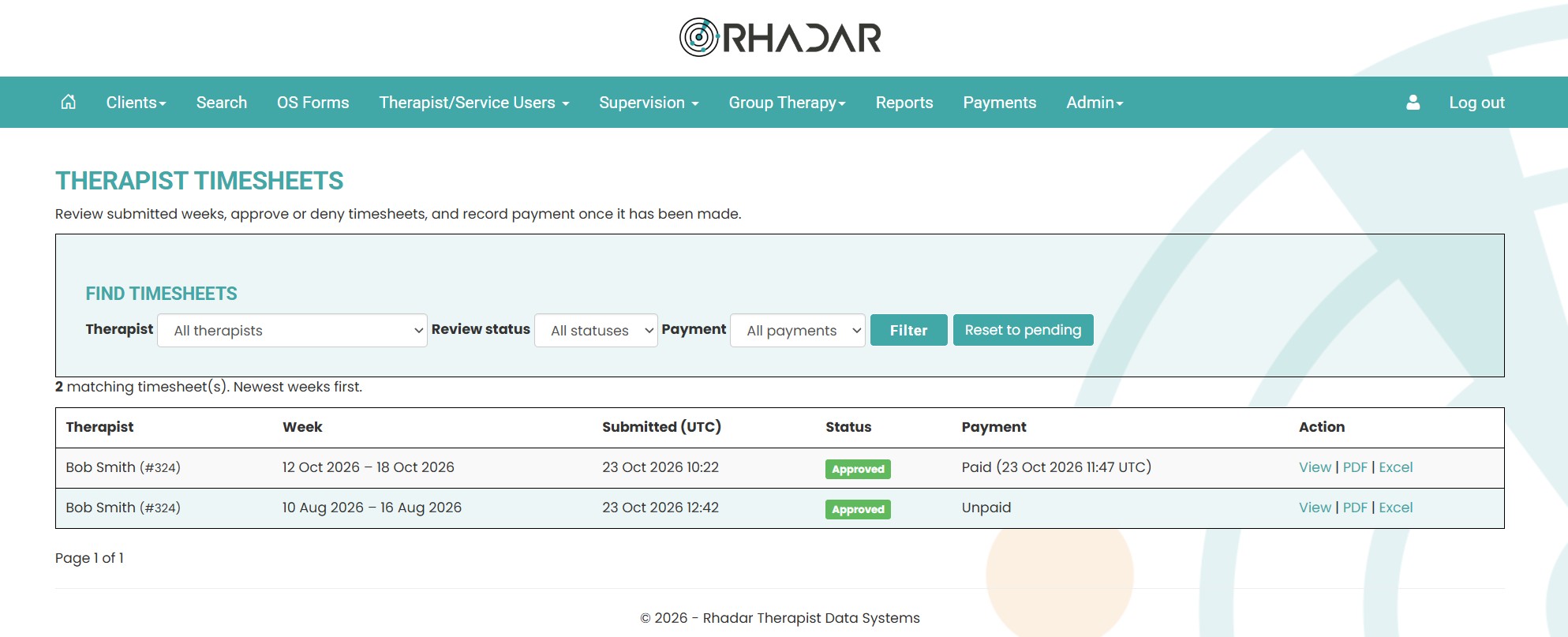
Admins have a list of all Therapist Timesheets with filters
All Admin users have the Therapist Timesheets screen which shows all timesheets with their statuses, and allows for filtering, so for example, show all timesheets pending approval
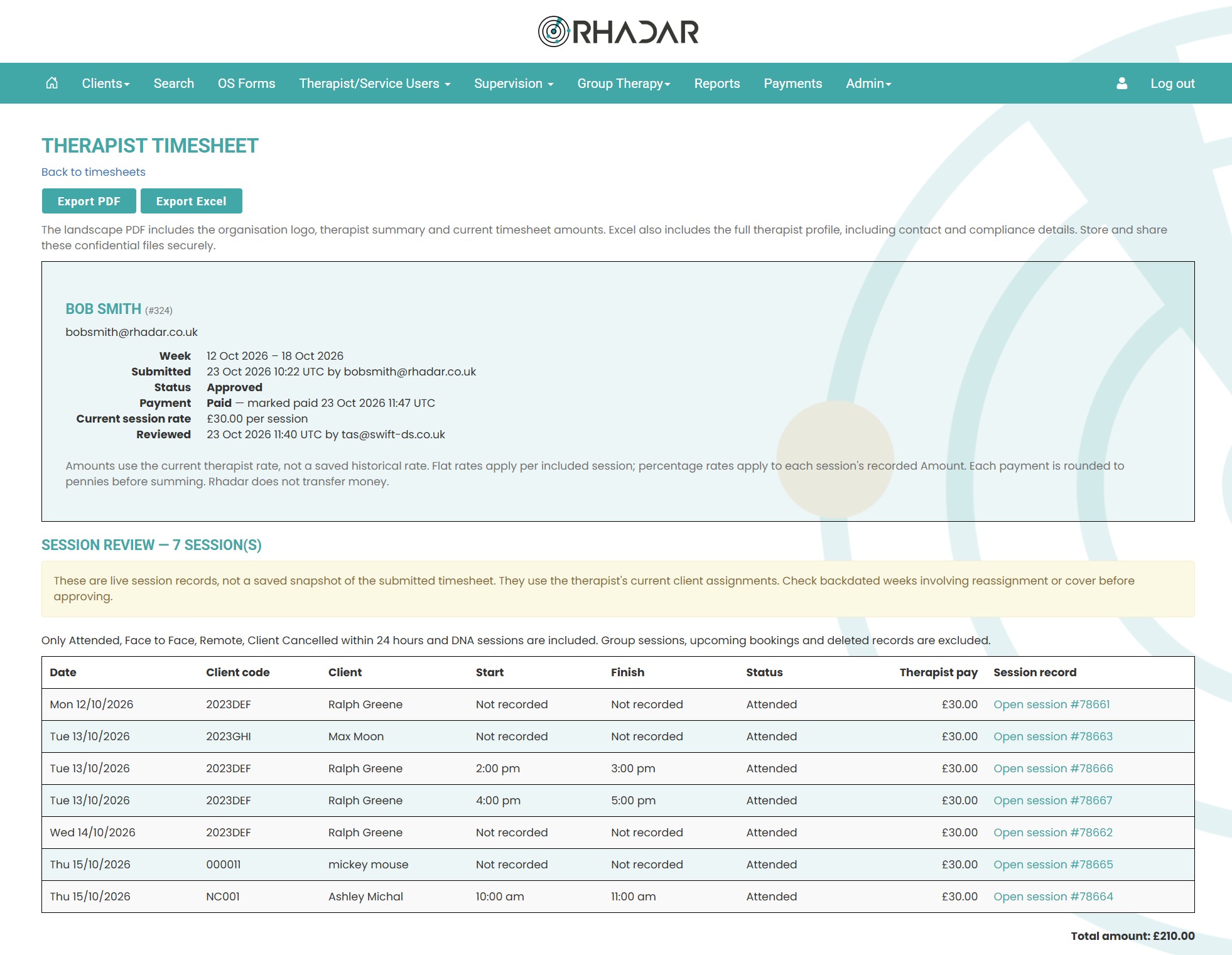
Drill into each Timesheet and export to Excel and PDF
Admins can view any Therapist Timesheet. Every approved timesheet has the ability to export to Excel and PDF
Frequently asked questions
What if each Therapist gets a different rate
Not a problem, every Therapist has their own record for rate of pay. In addition you can select a flat rate for each session or a percentage of each session completed.
How is this an automated process?
Every session that is recorded into Rhadar with a Client Paid entry automatically gets imported into that week's timesheet. As long as the Therapist enters the session into Rhadar, they will have it on their Timesheet.
As an admin how do I know these are correct?
Rhadar automatically pulls the information for the recorded sessions. Timesheets are submitted for authorisation and you will have the ability, when looking at the timesheets, to investigate each session as there is a direct link to each one.
What if the session was recorded as client cancelled, will it still appear in the Timesheet?
No, Sessions automatically entered into the Timesheet must have a session status of Attended, Face to Face, Remote and Client cancelled within 24 hours
How does the Therapist know their Timesheet is approved and paid?
The Therapist will have a section where all their timesheets are listed with statuses of pending and approved, and when paid the date paid will appear
Can we export the Timesheets?
Absolutely, every Timesheet, once approved, can be exported to Excel and Pdf by the admins and the Therapists
One platform.
Every workflow.
Better outcomes.
Rhadar brings together everything your organisation needs to deliver exceptional care and measurable impact.
 250,000+Client sessions managed
 40+Clinical reports
 99.99%Platform availability
 20+Years' experience