
Online Referral Form
Accept referrals directly into Rhadar with an embeddable, secure online form. This form is supplied as a public link in <a href> format and as an <iframe> code snippet. Both methods allow for easy integration into your website
Key benefits
-
Easily embed registration form into your website Using the supplied <a href> or <iframe> link, easily add the registration to your website
-
Allow potential clients to self-register Give potential customers the ability to pre-register to your services
-
Registrations are held in a separate queue Online registrations are held within their own queue for approval
-
Approved forms go automatically to waiting list Once approved the client moves to the standard waiting list ready for onboarding
How it works
Configure the self-registration process
Using the built-in settings, configure your self-service process and gain access to the built in integrations links for your website.
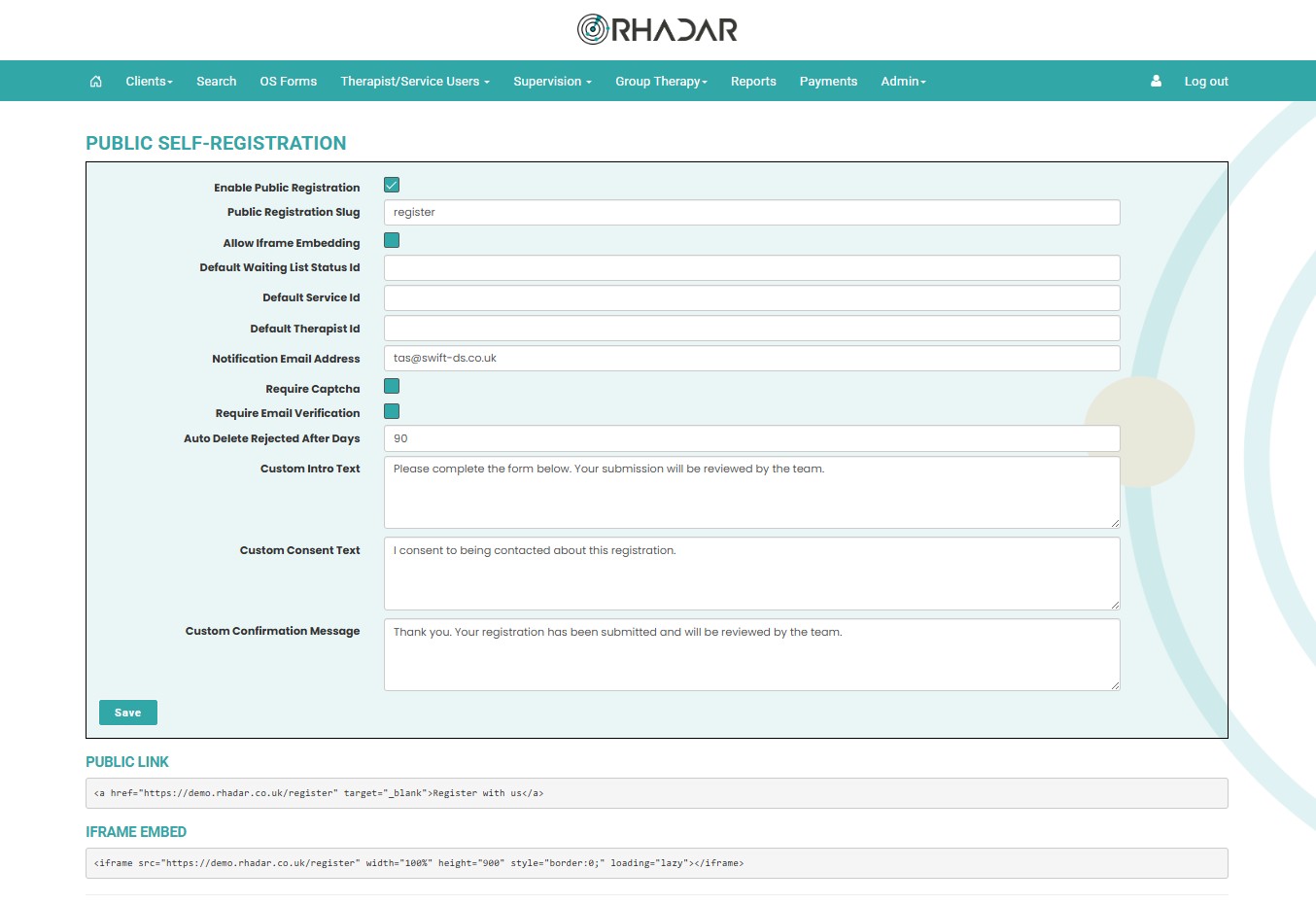
Online Referral website integrations
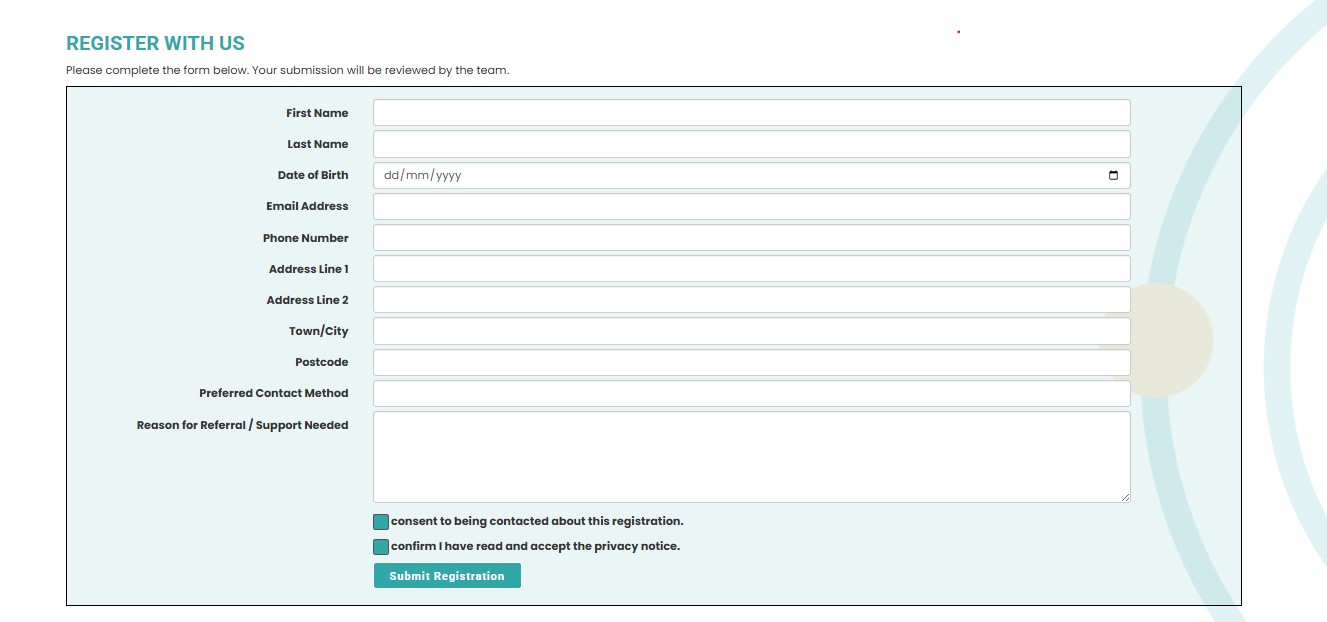
It doesn't matter what website you have and how it has been created or on what platform. Rhadar supplies your website developer with two types of links, one is a <a href> link and the other is an <iframe>. Both methods will present potential customers with a registration form that once completed and submitted are stored within a seperate registrations queue.
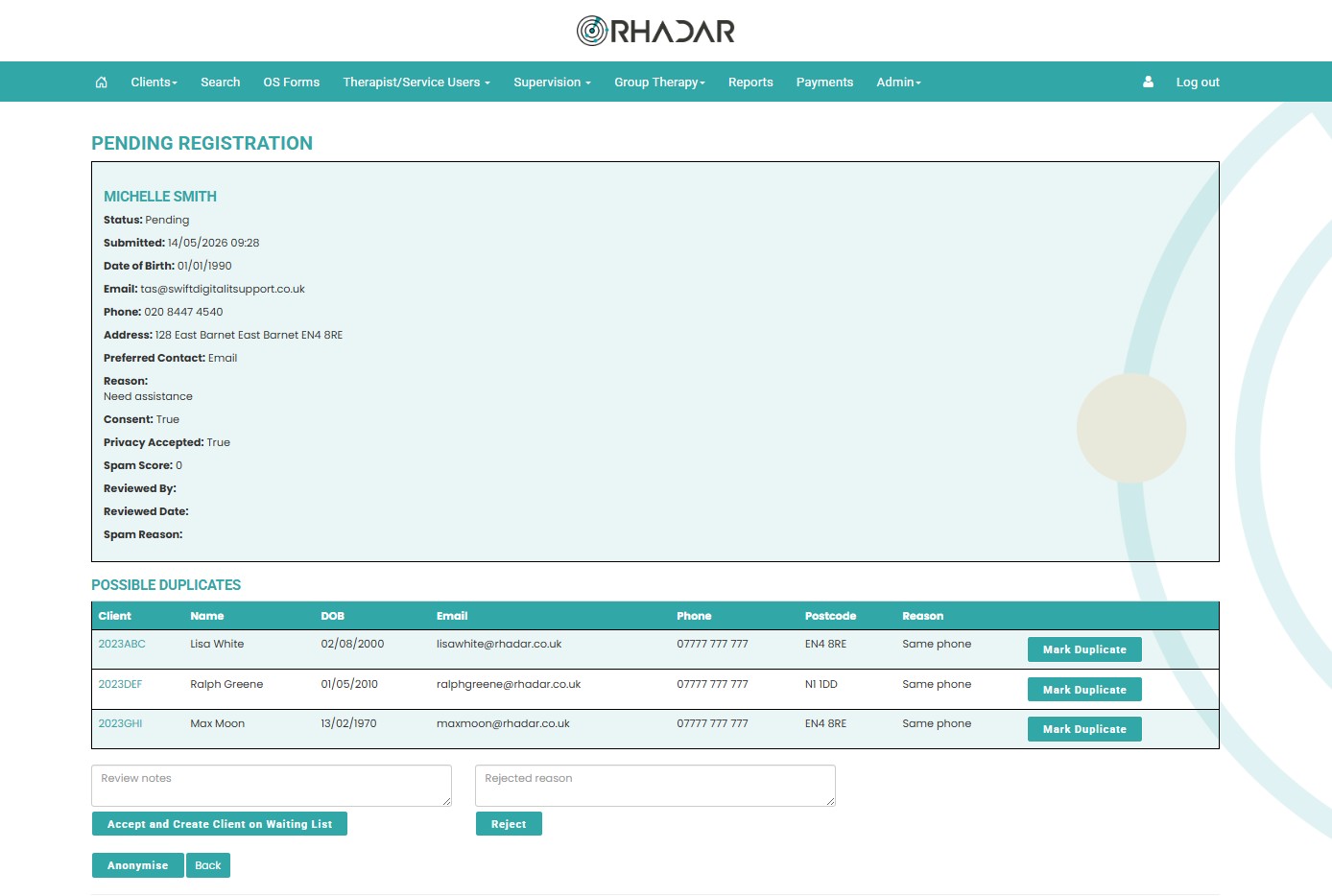
View and manage your self-registations
Keep an eye on the self-registrations, decifer which are valid, discard the non-genuine, and approve the potential clients putting them into the main waiting list
Frequently asked questions
Does it matter if my website is Wordpress?
No, any modern website will be able to use either the <a ahref> link or <iframe> supplied. Just pass it to your developers and they will know what to do
Can I use the links to email to clients rather than put onto my website?
Yes, with a small tweak to the supplied code you can freely send the link to clients rather email or an email campaign
What if registrations don't seem real?
Not a problem, within the pending registrations screen simply reject the request.
What happens when I Accept the online registration
Once accepted, that client will be moved into the standard Client Waiting list where any pre-assessment tasks can be handled. Once they are assigned a Therapist they will then become an active client.
Won't the waiting list become messy?
No. The online registrations are kept in their own queue/waiting list. Only once they are approved will they then join the main Waiting List.
One platform.
Every workflow.
Better outcomes.
Rhadar brings together everything your organisation needs to deliver exceptional care and measurable impact.
 250,000+Client sessions managed
 40+Clinical reports
 99.99%Platform availability
 20+Years' experience